Moving from Twist
Twist closes on 1 March 2027. Hidoki imports a whole Twist workspace, so your team arrives with its full history, and links between threads still lead to the right place.
Plan the move
Switch at least a few weeks before 1 March 2027, so the team settles into Hidoki while Twist is still there. The import runs in the background while everyone keeps working in Twist.
- As soon as you decide: run a full import and try Hidoki with a few people.
- A few weeks before switch day: invite everyone and turn on two-way sync, so people can use Hidoki while Twist stays the main app.
- On switch day: run a final import to pick up anything outside the synced channels, and from then on everyone posts in Hidoki.
- Once the team has settled: turn sync off.
What comes over
- The workspace, its members and its groups, matched to Hidoki accounts by email
- Channels, archived ones included, with all their threads and comments
- Conversations and their messages, and reactions on everything
- Attachments, downloaded into Hidoki's own file storage
- Mentions and links, rewritten to point at the imported threads, comments and conversations
- The inbox of the person running the import: what's in it, what's done and what's unread
IDs stay the same, so thread 123 in Twist is thread 123 in Hidoki. Members who are new to Hidoki get an account waiting for them and claim it through an invite or a password reset email. Members can then import their own direct messages with their own Twist token.
Run the import
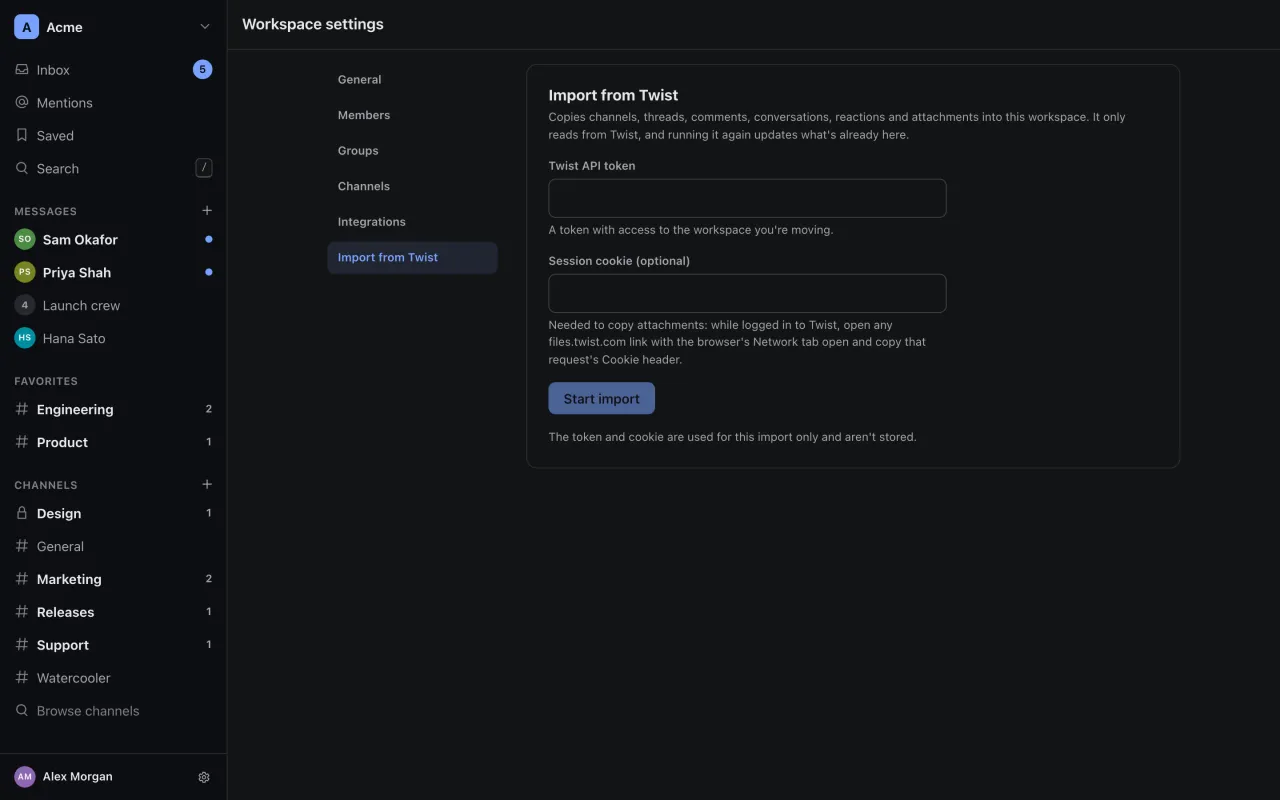
A workspace admin opens Workspace settings, chooses Import from Twist, pastes a Twist API token and starts the import. The page shows progress as it exports from Twist and loads into Hidoki. The importer reads from Twist and never writes to it, and running it again updates what's already there.
For a large workspace, the command line can write the export to a folder and resume it:
docker compose exec -e TWIST_TOKEN -e TWIST_COOKIE hidoki \
  node server/src/cli.ts import-twist --workspace new \
  --token-env TWIST_TOKEN --cookie-env TWIST_COOKIE
Twist serves attachment files only to a logged-in browser, so the importer takes a session cookie for them. The guide shows where to copy it from. Without it, attachments come over as links and a later run fetches the files.
Switch over
- Run a full import while everyone still uses Twist, and check it before anyone moves.
- Invite the team, so people claim their accounts.
- Pick a switch-over time and announce it.
- At that time, pause posting in Twist and run the import again, or a delta sync with
--since. It picks up what's new and changed. - Spot-check a few busy channels and a conversation.
- Move the team to Hidoki.
New posts in Hidoki never collide with imported IDs, so anything written in Hidoki before the final sync is safe.
Two-way sync for the transition
Two-way sync keeps a Twist workspace and its Hidoki copy in step in both directions, for the channels an admin picks, plus direct messages if the admin turns them on. People can use either app, or both, while the team moves over at its own pace.
When someone who has connected their Twist account posts in Hidoki, the post shows up in Twist under their name, and what they've read or marked done stays in step in both apps. An admin sets it up under Settings, Twist sync, and turns it off once the team has moved.
On a Hosted plan, we'll run the import and the two-way sync for you. About Hosted
Keep your scripts
Scripts that call the Twist API can talk to Hidoki instead:
- Set
HIDOKI_TWIST_COMPAT=1on the server and restart it. - Create an API token in your Hidoki settings.
- Change the script's base URL from
https://api.twist.com/api/v3to your Hidoki address with/api/v3, and its token to the Hidoki token.
The adapter accepts the same snake_case requests and covers users, workspaces, channels, threads, comments, conversations, inbox, reactions, search and incoming integrations. Because IDs carry over, the channel and thread IDs in your scripts keep working.
The full guide
Every option, the attachment cookie steps and the switch-over checklist are in docs/importing-from-twist.md.